
Try Basic and Pro in separate demos. The Pro demo also includes the virtual handheld introduced in version 0.5. Both use simulated example data exclusively.
Everyday radio operation
Station controls, frequencies and network settings, talkgroups with automatic voice-slot allocation, hardware status, events and backups.
Open Basic demo →Pro with a virtual handheld
Also manage Wi-Fi, assign preferred voice slots, redirect GPS and view receive diagnostics. Version 0.5 adds a virtual radio with keypad, TG list, simulated PTT, text messages and a listening test tone.
Open Pro demo →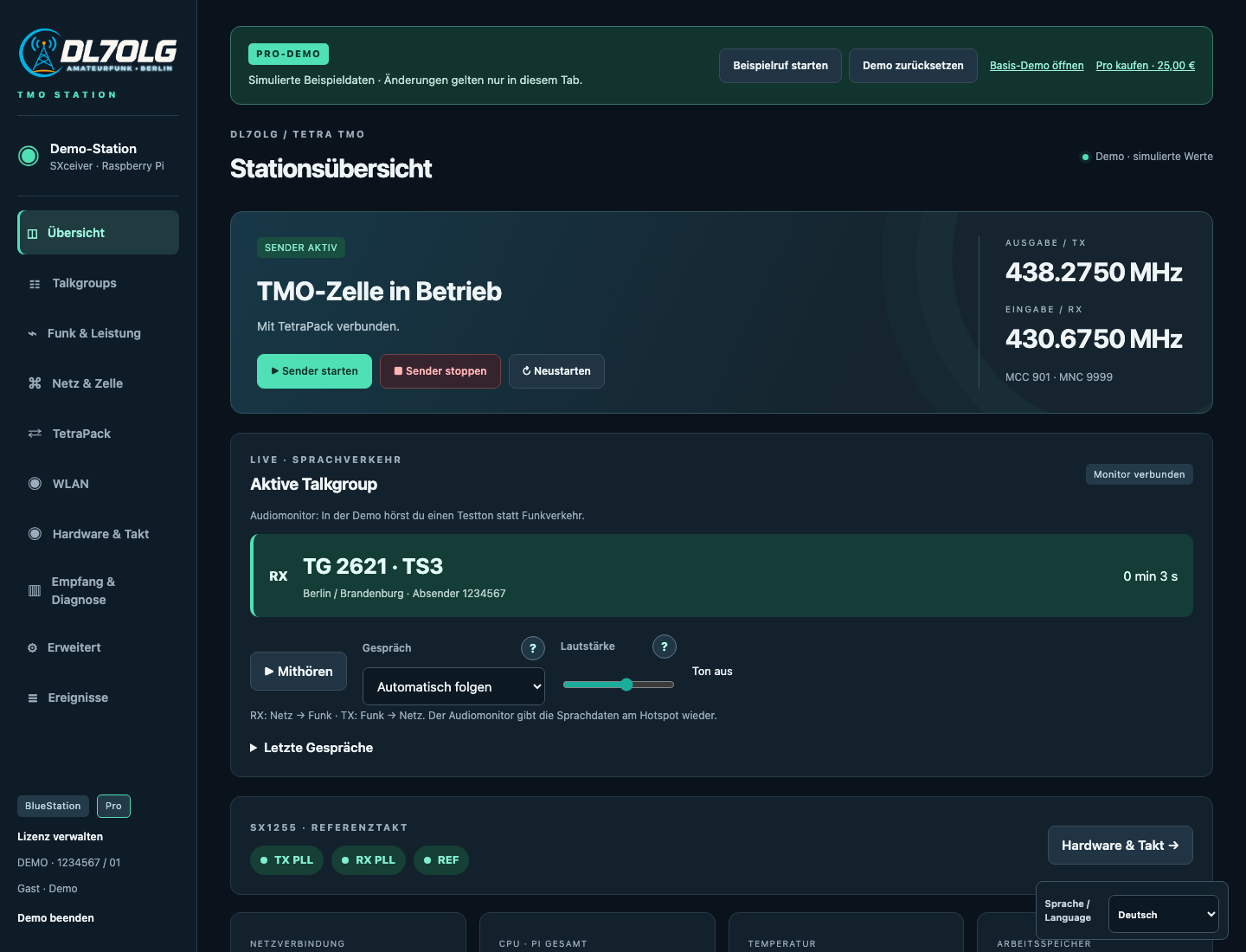
Use “Try Si570 clock control” in the Pro demo to explore optional software frequency control: estimated frequency, quality indicators, status LED and an on/off switch. “Simulate drift” demonstrates a correction followed by remeasurement. Control waits when the time reference is uncertain. All readings and timing are simulated.
A quick tour
- In Pro, choose “Try virtual radio”: select a TG or enter a destination ID, hold PTT and compose a demo text under “Message”. On large screens, radio, TG list and explanation appear side by side.
- Both demos let you operate the station, add talkgroups, delete them using the red × after confirmation, and inspect clearly labelled local TGs 1–90.
- Basic allocates free voice slots automatically. Pro lets you prefer a slot under Talkgroups and try it with “Start example call”.
- In Pro, simulate Wi-Fi scanning and switching networks with rollback to the previous connection. The audio monitor plays a test tone.
- Back up and restore demo settings, or use “Reset demo” to start over. German and English are available in both editions.
The demos connect to neither BrandMeister nor Wi-Fi devices. Changes apply only in this tab and disappear on reload. Enter example passwords only. Demo backups belong only in the demo. The virtual radio simulates transmission and text messages in the browser without microphone access. Listening plays a test tone, not radio traffic. The matching version 0.5 is available to download.